Explore the advanced features and benefits of CIJ inkjet printers designed for high-quality, high-speed printing. Discover how CIJ technology provides reliable and versatile printing solutions for various industries, ensuring optimal performance and durability.
INKJET PRINTER
Model: K68S
Uses: Printing and marking dato. Text. English. Pattern
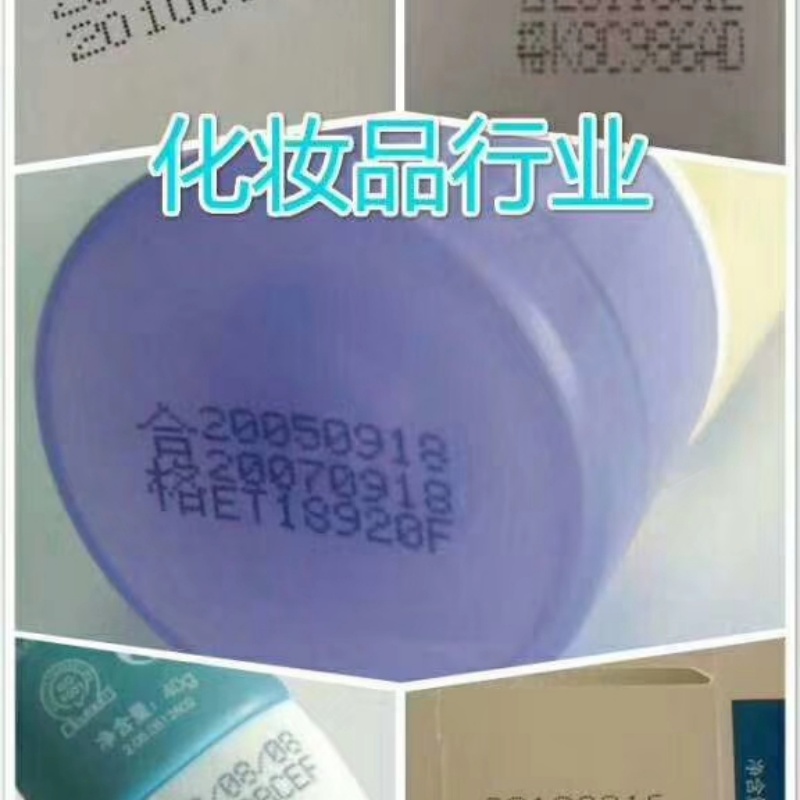
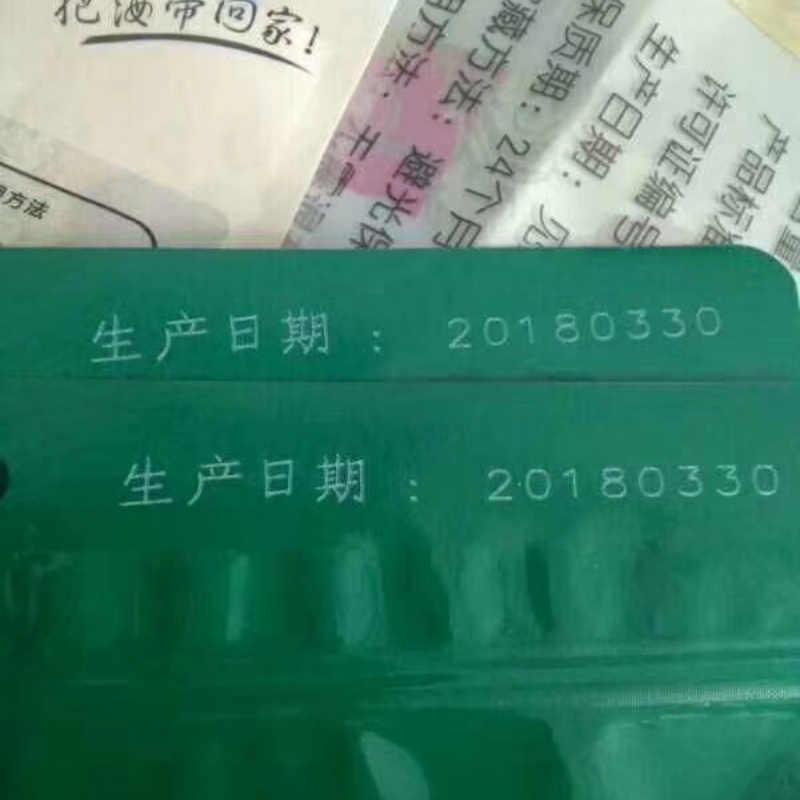
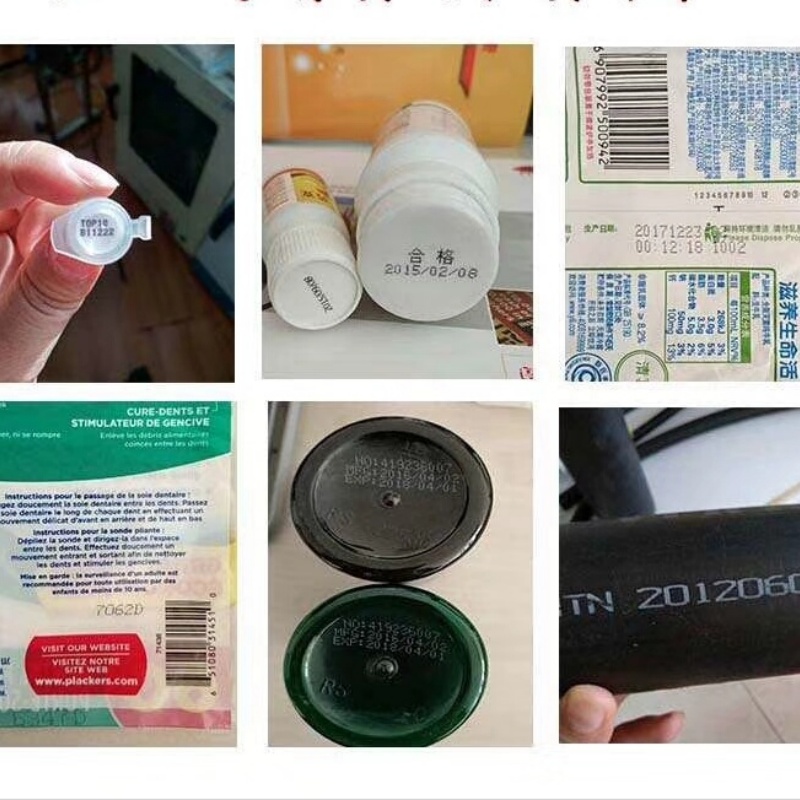
First, product advantages
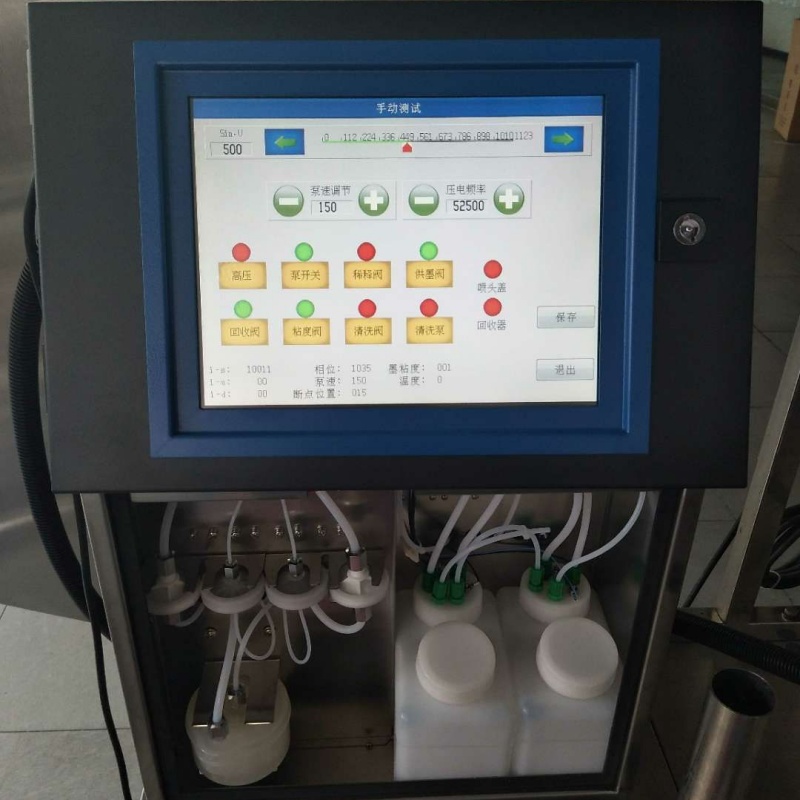
1.K68S small charactor inkjot printer, 10.4 inch high-definition touch sorean, simplo intertace, Intultive operation, casy to uso.
2.It can print threo lines of Chinese characters, four lines of numbers,commonly usod Chinese charactors,alphanumenic symbols and simplegraphics, which can be directly printed on the machine.
3. The machine itself can store 200 pleces of information, and the printed information will be dried in one second, less than one second in summer. It is printod on plastio metalglass and other materials and is not easy to wipe off.
4. The production date, product batch number and model required by the supermarker's food packaging, pipe and cable, and medical and other industrles can be perfectly printed.
5. The machine can run continuoualy for 24 hours, and the machine can automatically adjust the viscosity of the ink. One-button cleaning and automatlc cleaning function,themachine is placed for a long time, and it is not easy to block.
Second,advanced software
1, efficient, high speed, fuily automatic,high intelligence.
2. Adopt modular design and low power circult system.
3. The hardware aircuit Is highly integrated. The structure is reasonable and the anti-interference ability is strong.
4. You can modify the print content when printing, without stopping the production line.
5.Modify the software to meet different production needs.
6,using the world's advanced ball viscomater to control the viscosity, automatic deteotion and adjustment.Third,high quallty hardware
1.The full color touch screon is provided by Hitachl.
2.The world's most advanced AMR chip (32-bit) is purchased forelectronic components.
3. The power supply is supplled by the supporting factory of the Aerospace Industry Department.
4, the builf-in pump is Imported original.
5, all stainless steel chasais parte (304, 316L), in line with IP55 protection standards.
Fourth,humanized dasign
1. Automaticaliy set one-bulton cleaning pipes and nozzles, sell-diagnosls and maintenance of raulte.
2,full color touch screen,Chinese and English menu conversion, comes with graphic edlting function.
3,full Intelligent automatic control, one button switch machine.
4.with fault detecton and alarm function, no ink reminder display function.
6, Pinyin, location input method is as convenlent as texting.
6.can store 200 print information with the use.
Five, printing parameters
1. the number of print lines: 1-4
2.Mater function: It oan be printed in any unit.
3. printing spood: 2.6 m/ s (5 x 7 dot matrix)
4. Printing dot matric: 5°7, 6°11,8°16,16°16,7°5
6.alphanumeno:4°7.7*9,5°7,6*11,8*16,16*16
6. Chinese characters: 16°16, 12°12, 24°24, 8°7
7. editing function: 48 dot matrix within any mlx, move,rotate,combination, a varlety of font selection,the overall intorval is bold.
8, power requirements: AC220V±20% 50HZ 75VA
9,nozzle catheter:2.0m,can be customized.
10,the whole machine weight: 29Kg
11,size:370x270x520mm
Description
high resolution industrial inkjet printer
large character industrial inkjet printer
industrial inkjet printer with 600 dpi
industrial inkjet printer for high speed production line
industrial inkjet printer with variable data printing
industrial inkjet printer for barcode and QR code printing
industrial inkjet printer with automatic compensation system
industrial inkjet printer with seamless splicing
industrial inkjet printer with 24/7 non-stop production capability
industrial inkjet printer with gigabit ethernet connection
Blogs
Industrial Inkjet Printer Maintenance Guide: Key Steps to Ensure Print Quality and Extend Equipment Life
Industrial inkjet printers are core equipment in modern production lines for product identification, coding, and traceability. To ensure their long-term stable operation, maintain excellent print quality, and maximize return on investment, a systematic, preventive maintenance protocol is essential. This guide details the key maintenance steps, common issue diagnostics, and best practices for industrial inkjet printers.
I. Daily Maintenance: Maintaining Basic Cleanliness and Stability
Daily maintenance is the first line of defense against problems and should be performed at the start or end of each production shift.
1. Printhead and Nozzle Cleaning
◦ Purpose: To prevent ink drying and contamination, the most common causes of print quality degradation (e.g., broken lines, missing dots).
◦ Operation: Gently wipe the printhead surface using manufacturer-specified lint-free cloths and dedicated cleaning fluid. Never use abrasive materials (e.g., steel wool) to avoid scratching the delicate nozzles. For stubborn, cured ink, apply cleaning fluid to the cloth, place it on the printhead surface to soften the deposit, then wipe.
2. Ink System Inspection
◦ Level Check: Verify the ink levels in the main and secondary ink tanks. Replenish before low-level alarms to prevent air from entering the ink supply lines.
◦ Viscosity Monitoring: Some high-precision systems have inline viscometers. Ensure ink viscosity remains within the recommended range, as deviations affect jetting performance and drying speed. For systems without automatic monitoring, perform manual sampling according to schedule.
3. Print Quality Test
◦ Operation: Print a test pattern (often a specific pattern or barcode) daily to check for issues like missing dots, positional drift, or uneven density. Early detection prevents large-scale production of defective items.
II. Weekly/Periodic Maintenance: Deep Cleaning and System Check
Perform more in-depth maintenance weekly or after a set number of operating hours.
1. Filter Inspection and Replacement
◦ Purpose: Ink filters trap particulate contaminants, protecting the printhead. Clogged filters cause ink starvation and unstable pressure.
◦ Operation: Inspect and replace the main filter and the fine filter(s) near the printhead based on system alerts or the recommended cycle (e.g., every 500-1000 operating hours). As emphasized in the provided document: Waste ink intended for recycling must be filtered through a 100-200 mesh screen to remove impurities and cured particles. This principle also applies to routine ink handling during maintenance.
2. Ink Supply Line and Connector Inspection
◦ Check: Visually inspect all ink lines for kinks, aging cracks, or leaks. Ensure all quick-connect fittings are secure, with no ink seepage or air ingress.
3. Mechanical Component Lubrication and Cleaning
◦ Operation: Following the equipment manual, clean the guide rails, lead screws, and other moving parts of the print carriage, and apply a small amount of the specified lubricant to ensure smooth, unimpeded movement.
III. Preventive Maintenance and Best Practices
1. Environmental Control
◦ Temperature & Humidity: Maintain the operating environment within the manufacturer's recommended range (typically 15-30°C, 40-60% RH). Excessively dry conditions accelerate ink drying at the nozzles; high humidity can cause electrical issues or affect ink properties.
◦ Cleanliness: Keep the area around the equipment clean to prevent dust and fibers from entering the ink system or settling on the substrate.
2. Ink Management and Recovery
◦ Ink Compatibility: Strictly use the ink types recommended or certified by the equipment manufacturer. Mixing inks from different brands or types can cause chemical reactions, leading to precipitates that clog the printhead.
◦ Ink Recovery: If the system supports ink recirculation, follow the standard procedure. As highlighted in the document: Post-printing residual ink should be recovered promptly. Before processing, flush the lines with solvent, collect the waste, and filter to remove impurities. If color deviates, add a small amount of the corresponding base color for correction; if adhesion decreases, add an appropriate amount of hardener. Never randomly discard cured or spoiled ink.
3. Shutdown and Long-Term Storage Protocol
◦ Short-term Shutdown: If the system will be idle for more than 24 hours, execute the built-in "nozzle capping" or "maintenance" procedure.
◦ Long-term Storage: For shutdowns lasting several weeks or more, you must follow the complete "line flushing and storage" process as per the manual, filling the ink path with storage fluid to prevent ink from curing inside the lines and printhead.
 high resolution industrial inkjet printer
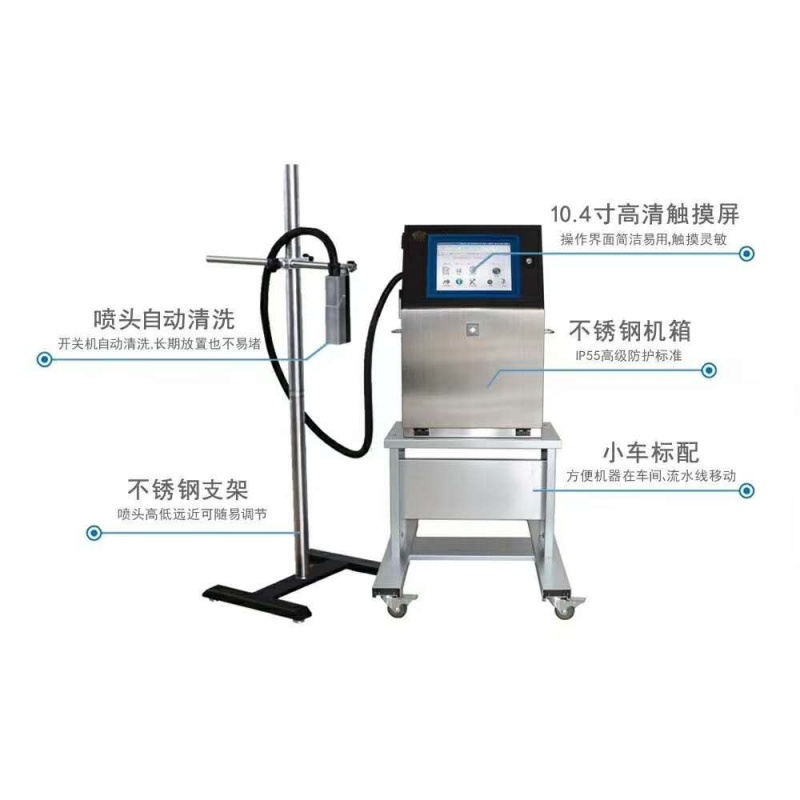 large character industrial inkjet printer
 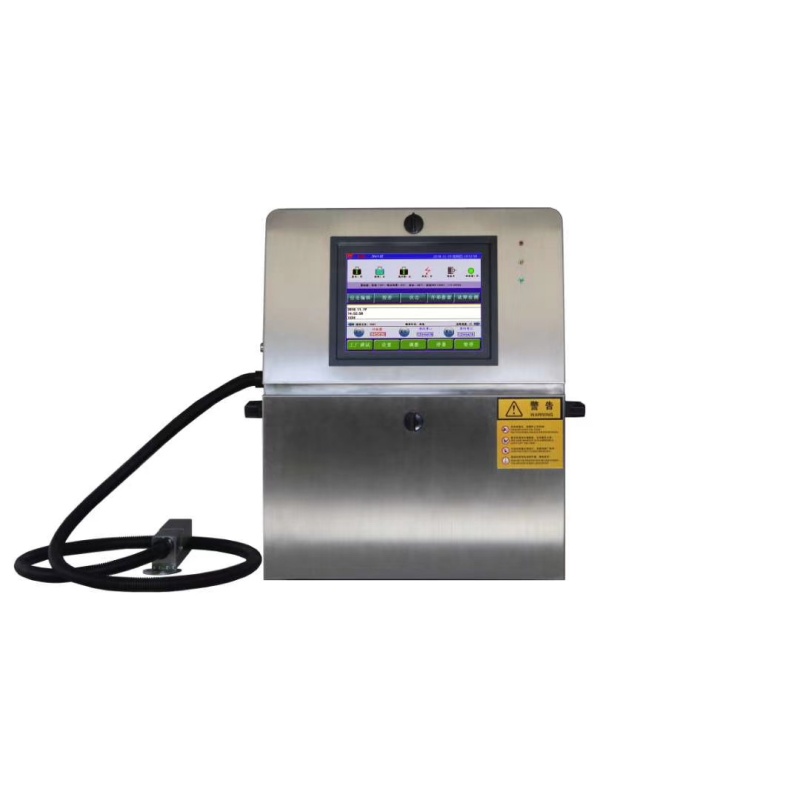 industrial inkjet printer with 600 dpi
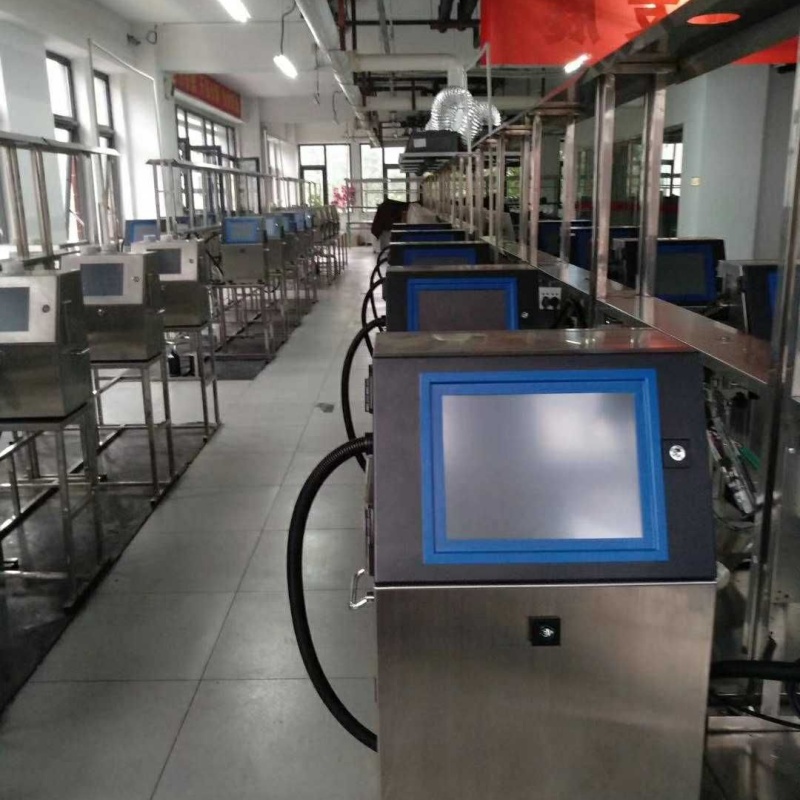 industrial inkjet printer for high speed production line
 industrial inkjet printer with variable data printing
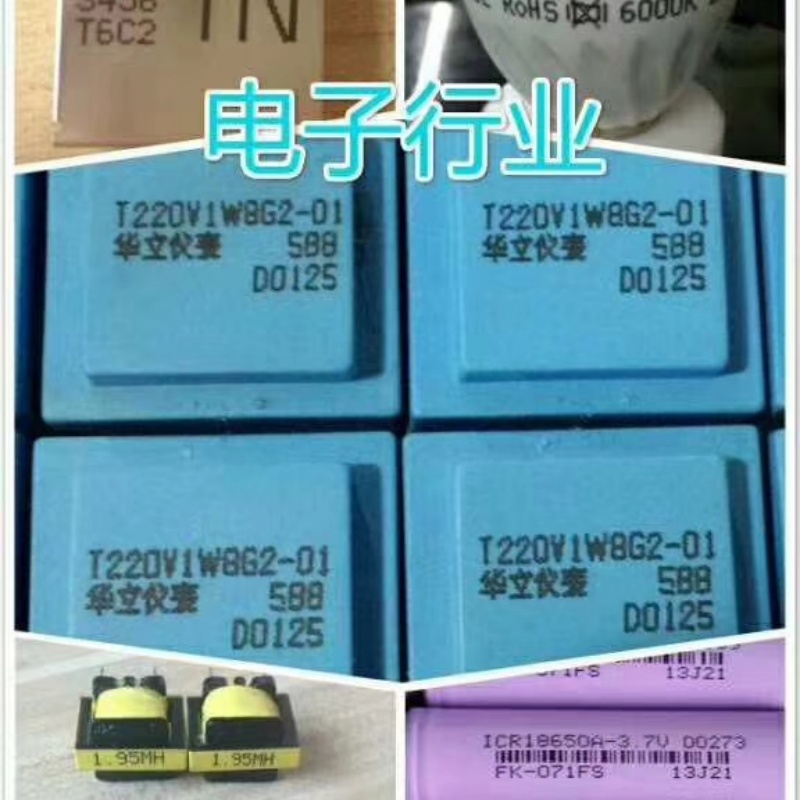 industrial inkjet printer for barcode and QR code printing
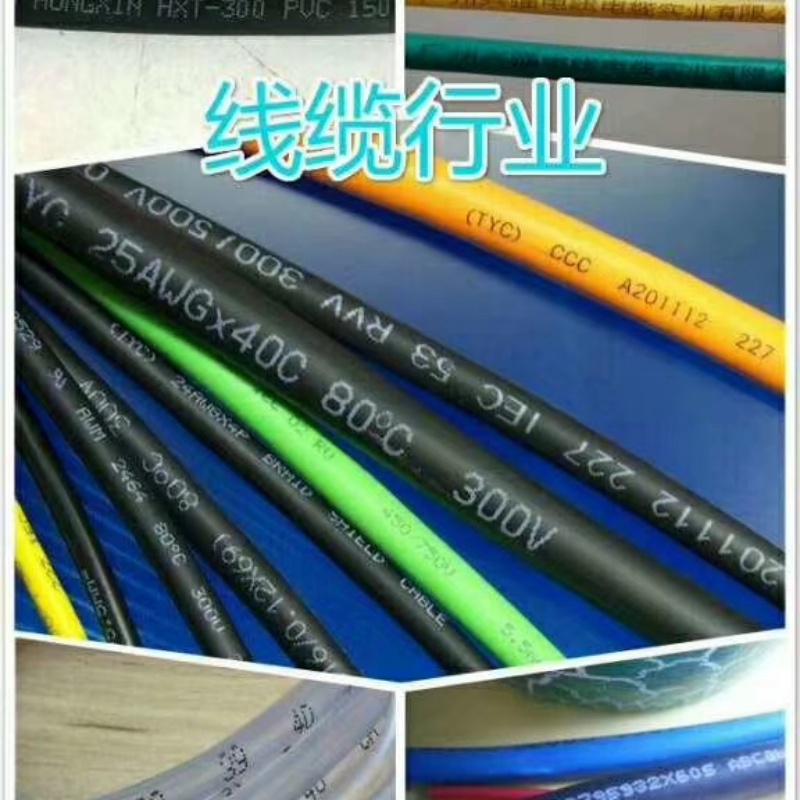 industrial inkjet printer with automatic compensation system
 industrial inkjet printer with seamless splicing
 industrial inkjet printer with 24/7 non-stop production capability
  industrial inkjet printer with gigabit ethernet connection