
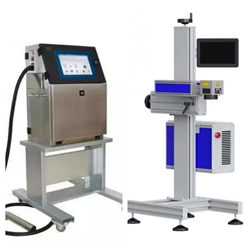
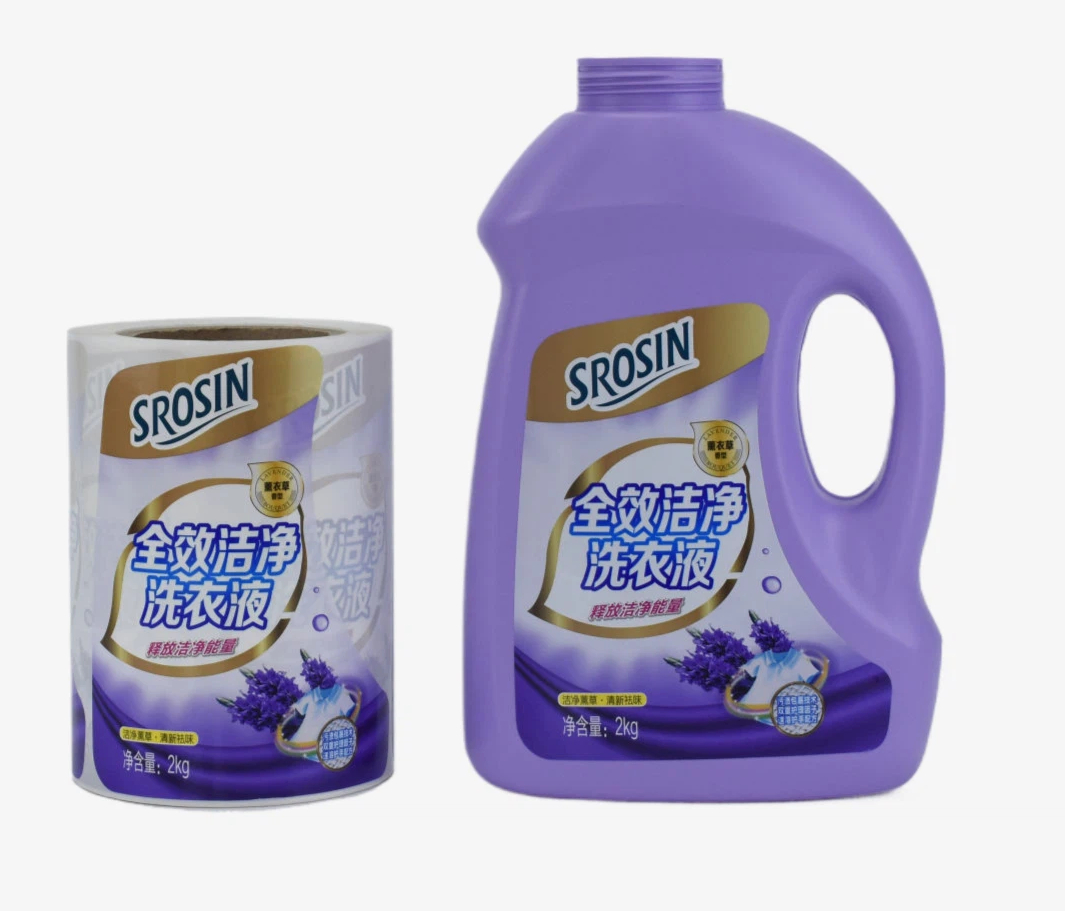
20 years focus inkjetprinter+ink+spare+label design solution

20 Years Focus Inkjetprinter+Ink+Spare+Label Design Solution

logo

Description

printer spares label labeler


INKJET PRINTER INK SPARE CARTRIDGE LABEL DESIGN PRINTING LABELER BLOGS

About us

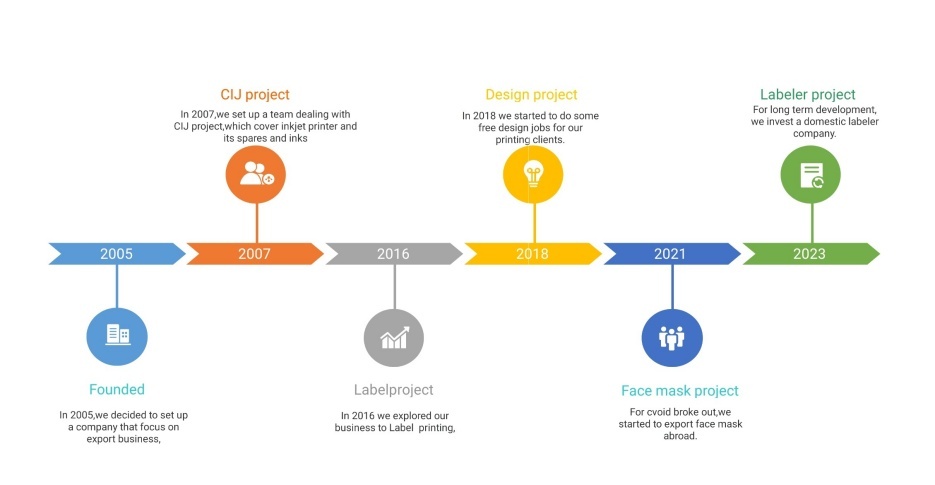
timeline

Contact us

Email: info@eufuho.com

whatsapp  IG  youtube  twitter  wechat

All rights reserved

© 2005 Eufuho International Company Limited (Reg.1176567 Hong Kong)


Printing Plate Making - Color Separation Steps and Settings in Photoshop 2026-1-23

In the design of computer plate making or graphic design, the image that is generally downloaded from the Internet, the image that scans or the image that takes is mostly RGB color mode. If you want to print, color separation must be made. Color separation refers to the decomposition of various colors on the manuscript into four primary colors: yellow, magenta, green and black. If the color pattern of the image is RGB or Lab, it is possible to output only the dot on the K version, that is, RIP only explains the color information of the image as gray. So the color separation has to be done in CMYK mode. 1. Convert to CMYK mode: after opening the image file, select "image" in the menu bar to "mode" to "CMYK color mode" to convert the image to CMYK color space. 2. Set color separation type: in "edit" to "color setting", for example: set pre-press 2 in Japan, select "custom cmyk" in the workspace: "pre-press 2" in North America"/" pre-india 2" in Europe "/" pre-india 2" in Japan ": usually corresponding to Adobe RGB (1998) workspace. Adobe RGB has a wider range of colors (especially in the turnips) than sRGB, which is suitable for high-quality print output or professional photography. However, you must ensure that the output process (printer, printer) supports Adobe RGB, otherwise the color may not be accurate. Viewing on a normal monitor can seem flat. In PS, the recommended limit of ink is generally set between 320-350% and is a good GCR(grey component substitution): black ink is used to replace the gray part of the color composition. UCR(background color removal): only black is used in the dark area to replace gray, the color composition of the middle and bright part is retained, suitable for the image that needs to highlight the middle color color. 3. Adjust the production parameters of the black version: if you choose the color separation type of GCR, you need to set the "black version generation" parameter: no: no: no black ink is not used, all printed by c, m and y. Less :40%~100% order range USES black instead, suitable for color based images. Medium :20%~100% order range USES black instead, for default Settings, suitable for most cases. More :10%~100% order range USES black instead, suitable for gray mainly image. Maximum: all order range is replaced by black, the image is black, suitable for special requirements. Custom: the starting point and degree of custom black substitution through curve editing. Set black ink limit: control the maximum amount of black ink, usually set to 55%~100%, according to the image dark color requirements adjustment. The total amount of ink: limit the total amount of c, m, y and k, generally not more than 350 percent, avoid ink accumulation caused printing problems. 4. Separate channel and separate adjustment: after converting to CMYK mode, we can view and edit four channels of c, m, y and k through the "channel" panel. If you need to adjust a specific color channel, you can use curves, levels and other tools to optimize color distribution. Click "channel" drop-down menu, find "separate channel" 5. Separate single channel to "bitmap", set "resolution" Methods the parameters of "semi-tuned screen" were set: "frequency" : this parameter would determine the size of the dot. The larger the value, the smaller the dot is. Set "Angle" : this parameter is designed to allow dots of different color layers to be arranged and combined. We need to set different angles for the four channels of CMYK here, usually 45, 90, 75, 105 Set "shape" : circular or ring-shape 6. Determine, save TIFF format, and complete color separation note: color separation setting has a great impact on printing effect. It is recommended to backup the original image before conversion mode, and adjust the parameters according to the actual printing requirements and substrate characteristics. If the printing requirements are high, it is suggested to communicate with the printer to confirm the color separation parameters.


Printing knowledge - screen printing ink preparation and recycling method 2026-1-10

In the process of screen printing, the first problem encountered before printing is the deployment of ink color, whether color real reproduction directly affects the product quality and market space share. To make customers satisfied, you first need to know how to improve the quality of ink by using ink color blending techniques. 1 screen printing ink to find a container to put ink to avoid waste (it is recommended to use a transparent disposable cup, easy to be easily poured into the right amount of ink (how much to pour) The ink preparation method is clear basic requirements: first determine the printing material (paper, plastic, metal, etc.), select the corresponding system of ink (such as screen printing plastic ink for plastic, high temperature curing ink for metal). With the basic color as the main body, a small amount of auxiliary color is added, and the amount of each amount is not more than 5% of the total ink amount, and the test is compared after mixing. The drying speed can be added to the special curing agent (for metal, glass and other materials) by adding fast drying/slow drying agent to the ambient temperature. It is judged that the ink concentration ink itself is thicker, and the proportion of open oil and water dilution ink and open oil is 8: 2 (ink 80% open oil and water 20%) the prepared ink can be directly mixed with disposable chopsticks to mix ink and thinner evenly 2 ink recovery printing after printing surplus ink should be recycled, timely to clean the network version. Before treatment: rinse the screen plate and ink tank with solvent, collect waste liquid and residual ink, and remove impurities, fibers and curing particles through 100-200 mesh filter. Add a small amount of corresponding basic color correction if the color is offset; add a small amount of corresponding basic color correction if the adhesion decreases, add a proper amount of curing agent. Note: 1. No use of steel wire ball and other sharp and rough articles to scrub the screen board, easy to wash the screen board, will wipe the content of the board clean and transparent, The net board that has been sticky ink is relatively difficult to wash into the appearance of new board 3, before washing the net water to clean most ink in the net board or wipe with paper towel, otherwise it will be more difficult to clean, waste is also larger (washing net water can dilute the ink, A lot of ink will wash more and more) Q: warm tips: gloves and masks should be used in preparation to avoid contact with skin and inhalation of volatile gases. To prevent performance failure. If the remaining ink has been cured or spoiled (agglomeration, odor), it shall be treated according to the hazardous waste specification and shall not be discarded at will.


Printing knowledge - field printing shows maximum saturation 2025-11-28

 Four-color printing is printed with CMYK(cyan, magenta, yellow, black) four-color overprint that you need. In the popular point, that is, you can use these four different colors to add up to get the color you need. Field printing refers to 100% color, such as 100% black is field black, and printing a large area of color block on printed matter. 1 There are a lot of people in the field saturation in the printing product color saturation do not know how to deal with, it is easy to cause unnecessary loss, theoretically, is to give full play to the maximum field density of #offset #printing #ink to achieve the maximum saturation. Although 95% of the dot will increase to 100% after printing, this is different from the effect generated by 100% field printing. 95% of the dot only reaches the field in 95% dot area, while 5% of the dot area has ink, but the ink #density is thinner. 95% of the dot increases to 100% ink density not as thick and bright as 100% field density. According to the general offset ink color deviation, with gray characteristics, its optimal saturation configuration is: red =M95% Y85% green =Y95% C85% blue =C95% blue =C95% M80% Image offset printing in the field of printing to achieve maximum saturation,CMYK color value (file setting) should be set as a single channel 100% pure color (no dot, overlay), that is, c100, m100, y100, k100, overprint color to avoid the problem. 1. Monochromatic value (pure field, maximum saturation core) Cyan (C):C100, no other channel values (m0, y0, k0) Maguinon (M):M100, no other channel values (c0, y0, k0) Yellow (Y):Y100, no other channel values (c0, m0, k0) Black (K):K100, no other channel values (c0, m0, y0) Principle: single channel 100% can make ink printing in the purest state, avoid other color dilution, maximize its saturation. Two, overprint color (multi-color mixed field) Standard color value of overprint (considering saturation and printing feasibility) Red :M100+Y100(total ink volume 200%) Green :C100+Y100(total ink volume 200%) Blue :C100+M100(total ink volume 200%) Dark blue :C100+M100+K30(total ink volume 230%) Deep purple :C60+M100+K30(total ink volume 190%) Key limitation: the total ink volume is controlled within 240% to avoid ink accumulation, slow drying or adhesion. picture Iii. Matters needing attention in practice Avoid adding irrelevant channels: for example, when doing pure green field, do not add K or other colors, otherwise it will reduce the brightness. No dot replacement: the field color must be set as "100% solid base", and high dot percentage (e.g. 95%) cannot be used, otherwise the ink layer is insufficient. Overprint Settings: "overprint" (especially dark color) should be checked in the file to avoid leakage affecting saturation. Suitable substrate: the total amount of overprint ink of high blotting paper (such as newsprint) can be reduced by 10% to 20% to prevent ink from penetrating ash.


Color difference solution in printing 2025-11-24

 The uniform ink color and bright color are the basic requirements of #packaging product quality, while the color difference of printing is a common problem of printing product quality. The reasons for the #color difference of printing are many, there are technical and technical adverse factors, but also there are raw materials reasons. Below share some adverse factors that cause the printing color difference, the content for the excellent product package system for friends for reference: Color difference of print Color difference, that is, in the $printing process, often occurs in the printing and the color of the sample is not consistent with the phenomenon, or after the pattern screen overprint color failure, light people affect the product quality, serious will make the whole batch of products scrapped. Chromatic aberration is also known as deviation, which is one of the typical quality defects in the printing process. Therefore, it is of great significance to correctly understand and understand the relationship between these printing conditions and ink color, to accurately control the quality of printing ink color and prevent the production of printing color difference. 

0 1 Stress discomfort Printing pressure is one of the conditions of ink transfer, because the surface of the printing plate cannot be absolutely flat, the surface of the paper is also inevitable to have subtle concave and convex shape and thickness uneven situation, if the printing pressure is insufficient or uneven, the printing ink layer is easy to appear thick and weak phenomenon. The ideal printing process is on the basis of "three flat", that is, it is required that the printing surface and the substrate and the lining surface reach the relatively flat conditions, so that the thin ink layer can achieve the more uniform ink color on the printing products through the effect of balanced printing pressure. When the printing pressure is insufficient or uneven, when the lining is in contact with the printing surface is in bad condition, it is necessary to increase the amount of ink transfer to meet the visual effect of ink printing. However, this will not only increase the consumption of ink, but also easy to produce the color difference of printing and the quality of adhesion of printing products. Therefore, to prevent the generation of printing color difference, we should grasp the basic conditions of printing "three flat" and use uniform and constant pressure to print. If it is printing a large area of plate products by a relief process (using circular flat or flat machine), it is better to use the metal floor material, in this way, its material flatness and firmness are better, the printing pressure is relatively stable, which is conducive to preventing the printing color difference caused by pressure variation. 

0 2 Poor ink roller Lithography, letterpress and other printing technology, printing products can obtain uniform ink color, the quality of the cots has a crucial role. On the machine that prints color printed, there are three kinds of ink transfer roller, uniform ink roller and ink roller, among which the influence on the color of ink is the ink transfer cots and ink roll. The elasticity, viscosity, center degree, hardness and surface finish of the ink roll determine the color quality of printing. If the elastic difference of the ink roller, the viscosity is insufficient, the roller body eccentricity, the colloid is too hard and the colloid finish is not uniform, so that the printing ink color is inconsistent. Therefore, the printing color products should adopt the better quality of cots, in order to ensure that each printing cycle coating on the layout of the ink to maintain the basic consistency. If the printing of large products, the printing should be timely to clean the cots, so that the paper dust on the cots. Impurities can be removed to ensure the uniform origin of ink, prevent the production of printing color difference. On the other hand, the contact position between the ink roller and the string iron roller should be adjusted. However, if the adhesive roller and the chain iron roller have bad contact, it is bound to cause the ink transmission is not sufficient and uneven, so that the ink color in the transverse layout of the printing products is uneven. In this regard, the shaft head at both ends of the cots should be adjusted to achieve uniform contact between the cots and the iron roller. After adjustment, 5-wire steel sheet can be inserted into the glue roller and iron roller for drawing and drawing inspection. In addition, the contact position between the ink roller and the plate surface should be adjusted. If the ink roll is adjusted too high, the layout cannot be uniform, enough ink coating amount, and easy to slip in the layout and the printing bar marks. If the ink roll is too low, the ink layer on the layout will be dragged tip part of the scraper plate, resulting in the color difference before the color of the ink color, that is, the ink color in the mouth is light, the ink color in the drag tip is thicker. The ink roller and the printing plate surface should be adjusted into parallel and uniform contact state, only by accurately adjusting the contact position between the ink roller and the layout, can ensure the uniform consistency of the ink color of the printing product. 

0 3 Poor ink-giving device When the center of the iron roller of the ink pipe is poor or there is wear and deformation, the ink plate also shows wear and deformation, and the mechanism that controls the rotation of the ink roller has defects, which makes the ink transfer amount unstable in the printing process and also causes the production of printing color difference. Corresponding measures should be taken to deal with, in order to prevent the production of printing color difference. In addition, attention should be paid to adjust the ink-feeding device, ink in the ink bucket should increase or reduce the conveying capacity in an overall way, there are two adjustment methods, one is to adjust the ink bucket steel sheet and the iron roller clearance to realize; It's done by adjusting the curvature of the ink bar. Ink in the relatively thin situation, should not be too large between the steel sheet and iron bar, so as not to leak ink caused ink color uneven. When adjusting the amount of ink, the rotation radians of the ink transfer rod should be controlled between 1/2 of its adjustment range, so that the ink concentration in the printing process can be changed flexibly, so as to ensure the uniform and uniform ink color of printing, and prevent the appearance of printing color difference. 

0 4 Bad background factor If lithographic printing process is not suitable, it is easy to appear the color difference of printing. If there is eccentricity in the water roller, it is easy to make the difference in the size of the water supply of the layout due to its inconsistent contact with the layout. In addition, if the water roll melt sleeve USES aging or adsorption ink, impurities, will affect the water absorption of the water roller and the uniform transfer of the moistening liquid. Furthermore, if the water bucket device appears to leak, it will also affect the uniform transport of water on the printing surface. These bad conditions exist, will destroy the layout ink uniform and stable transmission, so that the ink color of the printing products will be different. Therefore, the runing system should maintain a good installation, should often clean the ink roller, the use of aging water roll pile cover should be replaced, in order to better prevent the printing color difference. 

0 5 Poor ink The thickness and viscosity of the printing ink layer are not suitable for printing color difference. When printing, only with a moderate and uniform printing ink layer, can better ensure the color quality of printing products, and effectively prevent the production of printing dirty problems. If the viscosity of the printing ink layer is thicker, it will increase accordingly, which is easy to cause the phenomenon of powder loss and hair wool on the paper surface in printing, and then affect the color uniformity of the printing product. However, if the printing ink layer is thin and the ink viscosity is too small, the ink color of printing products appears to be light, the visual effect of printing products is also poor. On the other hand, due to the characteristics of the ink, the friction coefficient of the machine increases with the growth of the printing machine's running time and the acceleration of the printing speed, and the temperature of the ink will gradually increase, and its viscosity will also decrease correspondingly. In this way, the printing ink color will be more and more shallow, so that the batch of products before and after the ink color is inconsistent and the formation of color difference. Therefore, these factors must be fully taken into account when adjusting the ink, according to the climate temperature and the characteristics of the printing machine, the appropriate ink concentration should be adjusted to reduce the opportunity of poor color in printing, so as to achieve relatively stable printing ink color. However, in the actual printing process, the viscosity of ink decreases is inevitable, often the printed printing ink color is thicker, and then gradually fade, so that by adjusting the rotation Angle of the ink transfer rod, the ink transfer volume can gradually increase, so that the printing ink color before and after is basically consistent. When mixing intercolor and complex color ink, should avoid the ink mixing with the large proportion difference, so as not to make the ink in the printing due to the large proportion difference and make the ink in the ink, produce "stratification" (that is, precipitation and suspension) phenomenon caused by the printing color difference. In order to maintain the continuous and uniform transmission of the ink, ink should be often used to stir the ink in the ink bucket. In addition, in the process of printing, the ink volume in the ink bucket is significantly reduced, and the gap between the ink bucket steel sheet and the ink transfer iron roller is easy to reduce and the ink output is reduced, so that the ink color of the printing product becomes lighter. In order to avoid this situation, it should also be paid attention to constantly adding ink to the ink bucket, so that a certain amount of ink is always kept in the ink bucket. In order to prevent the ink viscosity variation is too severe and affect the balance of ink color of printing, the contact between each rubber roller and iron roller should not be too tight, the rubber roller is not easy to be hard, in order to minimize the influence of friction heat on the ink thixodyne, reduce the phenomenon of ink dilution. 

0 6 Poor material In the daily printing process, we can find that the difference of material material is also one of the reasons for the difference of printing color difference. For example, the difference between the gloss and hue of substrate and color phase will cause the problem of printing color difference. Taking the embossed aluminum plating paper as an example, the color phase of aluminum plating paper is different, which will cause the inconsistency in the color rendering effect of printing. Therefore, printing color products should be used as far as possible to choose gloss and color consistent substrate. If, in the case of objective factors, the same batch of products use two kinds of different colors and gloss materials, should pay attention to separate printing, and in the process of adjusting the ink color and printing pressure, so that the printing ink color of the two kinds of materials is basically consistent, to prevent the production of printing color difference.

 0 7 Bad machine If work is to do good things, it must first profit them. Maintaining good performance of the machine is a reliable guarantee to improve the quality of printing ink. However, if the machine is in bad condition, such as the work of imprinting system is unstable, the pressure of each printing sheet is inconsistent, and the paper transport system is abnormal, and the frequent failure of empty sheet, multiple sheets and other faults in printing are also the most likely to cause the appearance of printing color difference problems. Therefore, at ordinary times should pay attention to the maintenance and maintenance of the equipment, to pay attention to the lubrication of the key parts of the machine, such as the roller shaft to prevent wear, so that the stamping mechanism keeps good working condition, so that the printing pressure remains constant. To adjust the flying, air pump device, so that the air road is smooth and free to absorb and send normal, to ensure that the paper flow smoothly does not appear empty sheet phenomenon, so as to better prevent the printing color difference. 

0 8 Poor printing plate Printing plate is one of the basic elements of graphic and text reproduction quality. In the process of printing, printing plate can ensure the stability of ink transmission volume in the layout only if it remains unchanged and does not wear and tear. In the process of printing, if the dot layout appears paste version or wear and deformation, the line appears wear and expansion, so, due to the change of layout ink absorption volume, will inevitably make the ink color of the printing product deviation. Therefore, the printing color products should pay attention to control the moderate printing pressure, and adjust the glue roller, water roller to the printing plate contact pressure, to prevent the pressure to aggravate the plate surface wear, make the front and rear printing product ink color deviation. On the other hand, the materials with good smoothness, not easy to lose powder and hair should be used to print, which is also one of the technological measures to effectively avoid the wear and deformation of the layout in printing, which is conducive to better prevent the production of printing color difference. 

0 9 Poor lining Lining is a medium of imprinting and has a great influence on printing ink color. If, with the poor elasticity of the lining, it will be difficult to reset after the number of printing, as the number of printing times increases, then the printing ink color before and after printing is inconsistent. On the other hand, if in the printing process, the lining surface is adhered to a layer of# ink, paper scraps and other impurities, will also make the ink color of the printing products to produce deviation. Therefore, printing color products should choose a certain elastic lining, and timely cleaning the blanket surface of the imprinting or paper scraps, to prevent the printing color difference caused by the poor lining. 

0 10 The characteristics and observation angles of light source are different The light source of ink color of printing is usually identified, which mainly includes solar light (natural light), fluorescent lamp and incandescent lamp. They emit different light source characteristics, and the light color emitted is also different, such as the light is white, the observation color is relatively accurate. The light of the fluorescent lamp is green in white, similar to daylight. The light of incandescent bulbs is red and yellow in them, so it is difficult to accurately identify colors. Although daylight and fluorescent lamps are somewhat similar, the difference should also be considered in identifying color products with higher quality. The influence of light on the identification of ink color is not only the characteristics of light source, but also has a lot to do with the strength of light and the Angle of irradiation. Under the same light source, those who are exposed are weak. The correct Angle of exposure should be the incident Angle equal to the reflection Angle, and the light emission is inevitably partially refracted on the sample sheet, but it has no great effect on the ink color.